Never Switch Bluetooth Audio Devices Manually Again
EarBuddy intelligently routes your calls and media to the right Bluetooth device at the right time. Set your priorities once, and let EarBuddy handle the rest.
App Screenshots
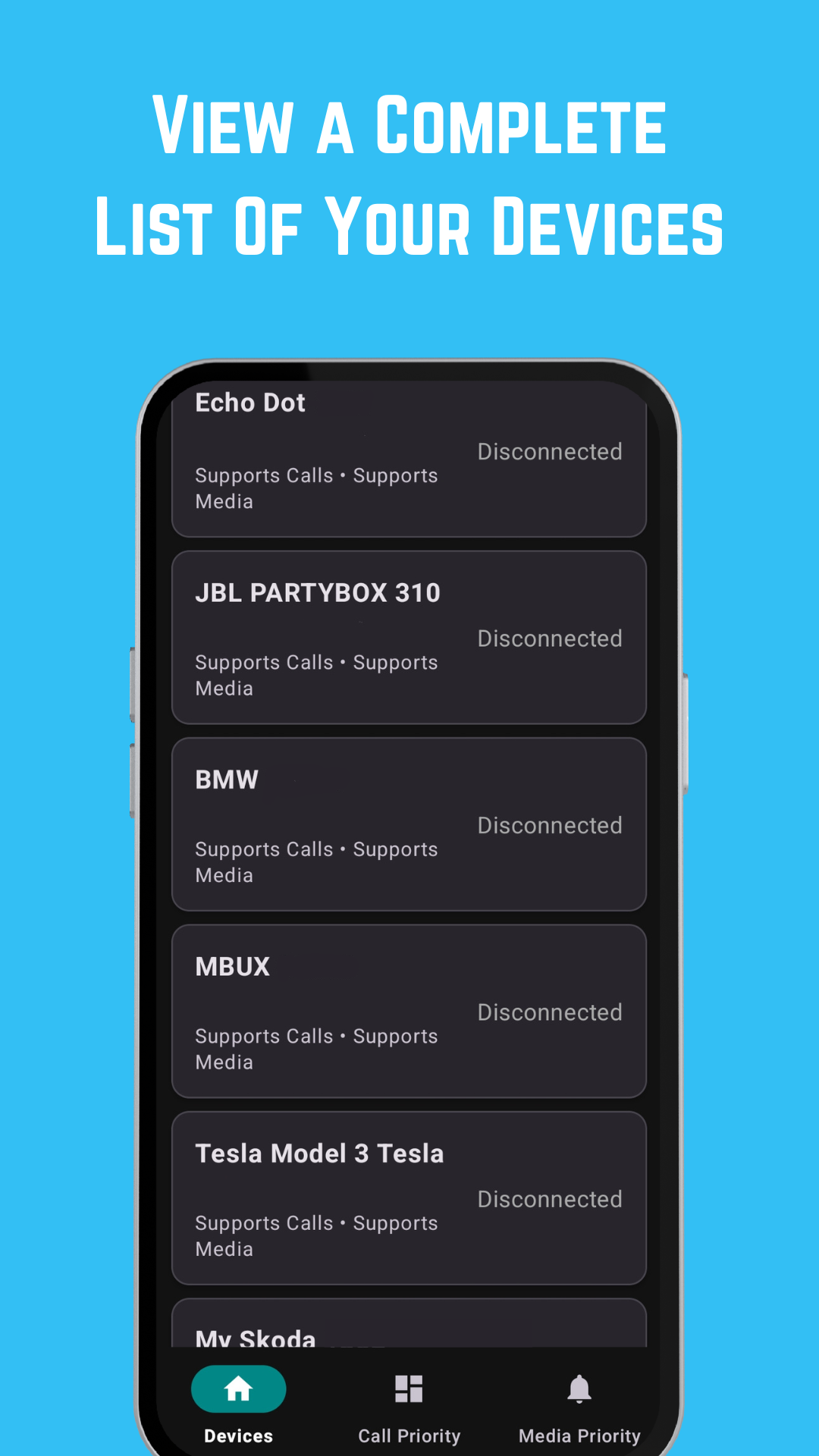
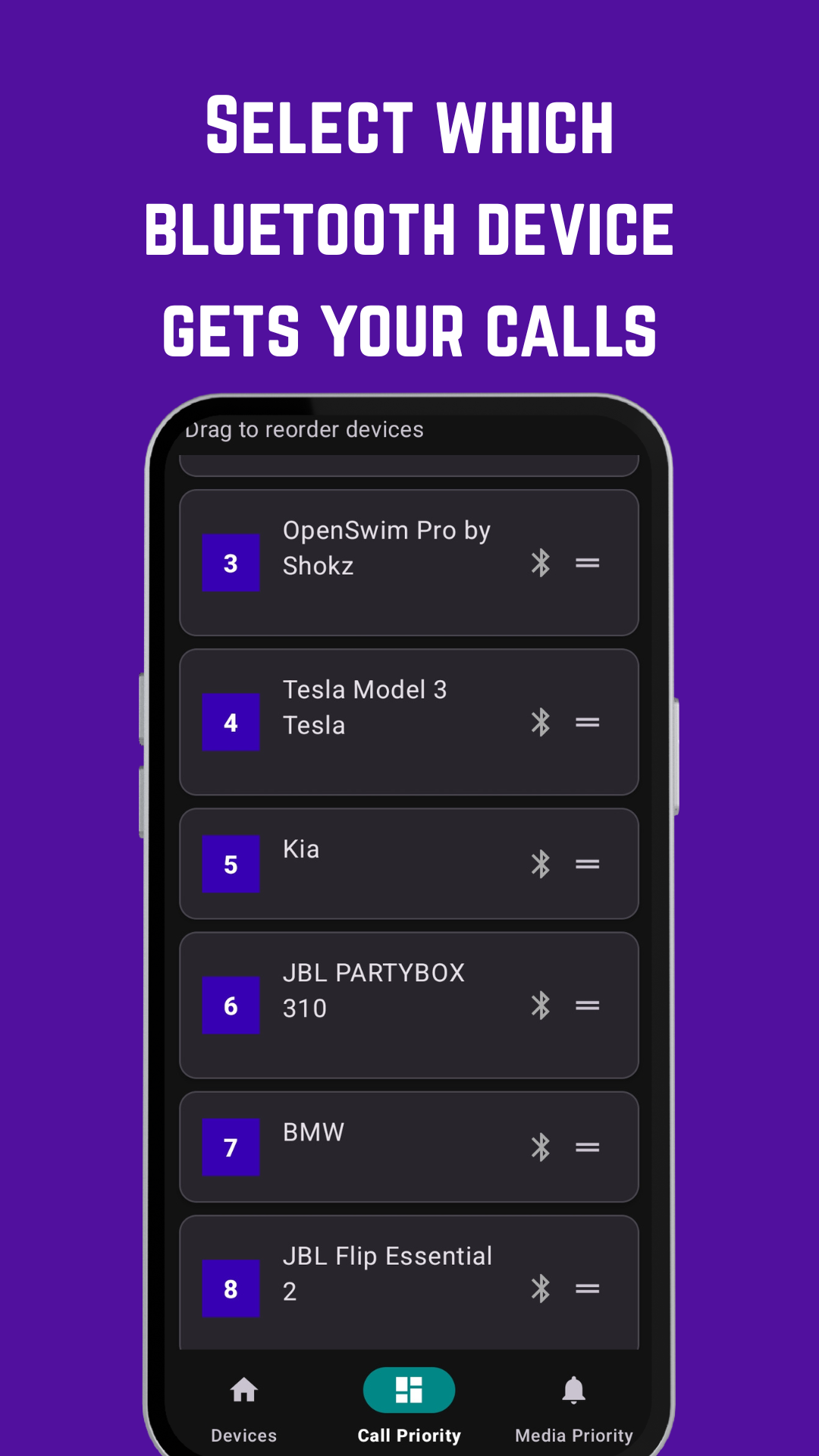
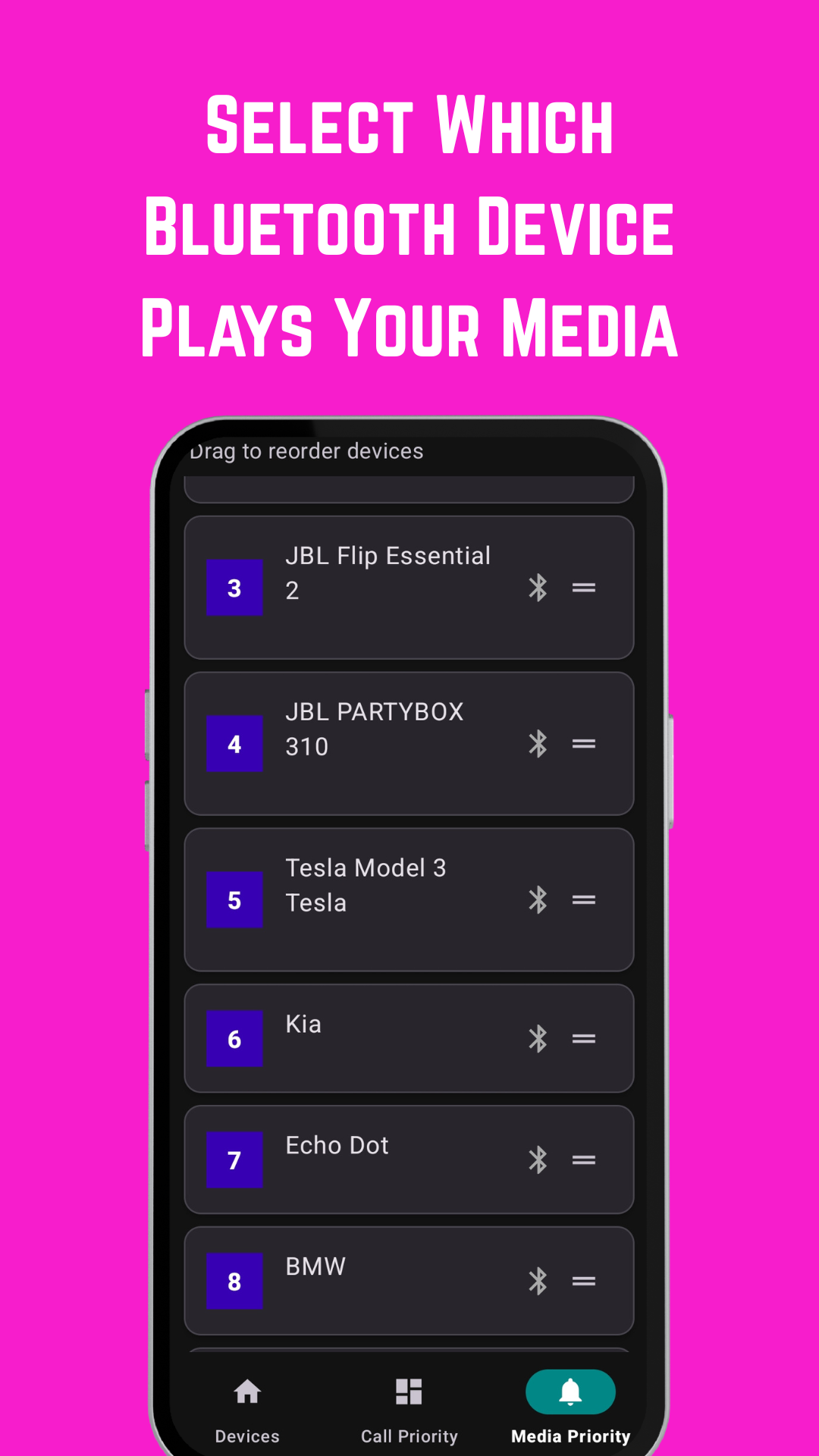
Experience seamless Bluetooth audio management on your Android device
Powerful Features for Seamless Audio
EarBuddy is packed with intelligent features that make managing multiple Bluetooth devices effortless.
Automatic Audio Switching
Seamlessly switch between devices based on availability and your custom priorities. No manual intervention needed.
Priority-Based Routing
Drag and drop to set device priorities. Separate lists for calls and media ensure the right device is always used.
Smart Call Management
Never miss important calls. Routes to your preferred headset when available, falls back to your priority list.
Media Playback Control
Enjoy music on your best speakers. Automatically switches to premium headphones when they connect.
New Device Alerts
Get notified when new Bluetooth devices are paired. Quickly add them to your priority lists.
Battery Optimized
Efficient background service with minimal battery impact. Runs only when needed.
Privacy First
All data stored locally on your device. No internet connection required, no data collection.
Android 12+ Support
Built for modern Android devices with full support for the latest Bluetooth features.
Intelligent Device Detection
EarBuddy automatically detects device capabilities. It knows which devices support calls (HFP/HSP) and which are best for media (A2DP), ensuring optimal audio routing every time.
How It Works
Get started with EarBuddy in just a few simple steps. No complex configuration required.
Download & Install
Get EarBuddy from the Google Play Store and install it on your Android device.
Connect Your Devices
Pair all your Bluetooth audio devices with your phone as you normally would.
Set Your Priorities
Drag and drop to arrange devices by priority. Set different orders for calls and media.
Enjoy Automatic Switching
EarBuddy runs in the background, automatically routing audio to your preferred devices.
Smart Priority System
EarBuddy's intelligent priority system lets you create separate hierarchies for calls and media. This means your important work calls can always route to your professional headset, while your music defaults to your premium speakers.
- Separate priority lists for calls and media
- Automatic fallback to next available device
- Visual indicators for connected devices
- Easy drag-and-drop priority management
Call Priority
Media Priority
Real-World Use Cases
See how EarBuddy transforms daily audio management for different lifestyles and scenarios.
Daily Commute
Switching between car and personal devices
Automatically connect to your car audio when you start driving. Calls route through car speakers for safety, while music seamlessly transfers from your headphones.
Work From Home
Managing work and personal audio
Keep work calls on your professional headset while personal music plays through speakers. Never accidentally take a work call on your gaming headset again.
Fitness Routine
Gym and outdoor workouts
Sports earbuds for workouts, premium headphones for cooldown. EarBuddy knows which device to use based on what's connected.
Business Travel
Multiple devices on the go
Conference calls on your business headset, entertainment on noise-canceling headphones, and quick calls on earbuds - all managed automatically.
Family Sharing
Multiple users, one car
Family members can have their own device priorities. When dad drives, calls go to his headset. When mom drives, her preferences take over.
Coffee Shop Work
Public space productivity
Quickly switch between noise-canceling headphones for focus and earbuds for ordering. Calls automatically route to the most private option.
Your Use Case Not Listed?
EarBuddy adapts to any scenario where you use multiple Bluetooth audio devices. Whether you're a musician, podcaster, or just someone who loves their audio gear, EarBuddy makes switching between devices effortless.
Ready to Simplify Your Bluetooth Experience?
Join thousands of users who've already transformed how they manage their Bluetooth audio devices.
4.8 Rating
From 2,000+ reviews
100% Private
No data collection
Premium Features
One-time purchase, no subscriptions
System Requirements
Minimum Requirements
- • Android 12 (API Level 31) or higher
- • Bluetooth-enabled device
- • At least one paired Bluetooth audio device
Permissions Required
- • Bluetooth access
- • Notification access (for service)
- • Background activity (optional)